
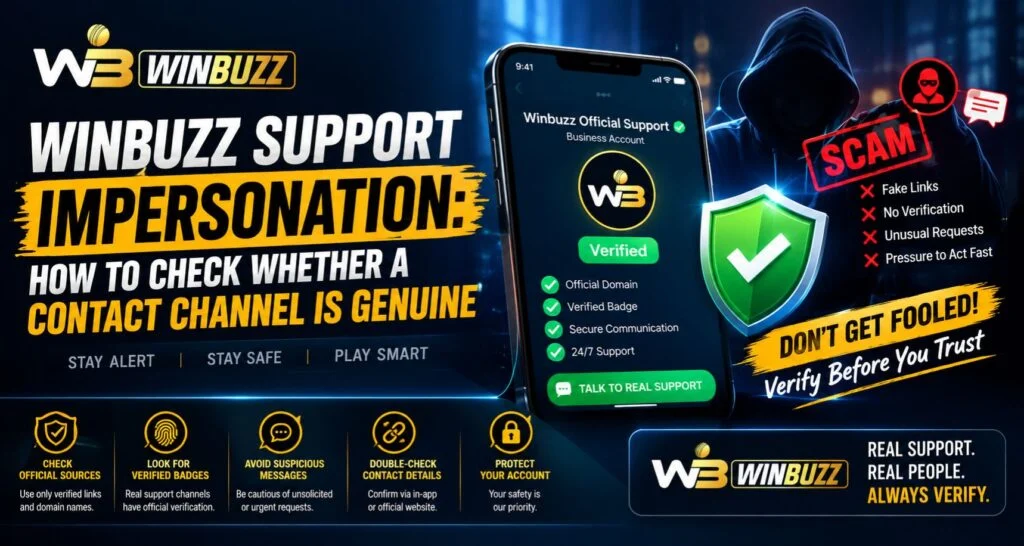
Online platforms often provide customer support channels to help users with account-related questions, technical concerns, and general assistance. However, fake support contacts and impersonation attempts have become a growing concern across digital services. For users managing accounts through Winbuzz, understanding how to identify genuine support channels can help protect personal information and improve account security.
Support impersonation occurs when someone pretends to represent an official platform and attempts to collect sensitive details. Learning how to verify contact channels is an important step toward maintaining safer online habits.
What Is Support Impersonation?
Support impersonation happens when an unauthorised person creates a false identity by pretending to be a company representative, customer support agent, or official service provider.
These fake contacts may attempt to:
- Collect login details
- Request verification codes
- Ask for personal information
- Send suspicious links
- Gain unauthorised account access
Recognising these attempts early can help users avoid security problems.
Why Fake Support Contacts Are Dangerous
Users often Contact Support when they need help, which means they may already be sharing account-related information. This makes fake support attempts particularly risky.
Potential risks include:
- Account access issues
- Exposure of private information
- Unauthorised activity
- Loss of control over accounts
- Misleading instructions
A genuine support team will follow proper verification procedures and will not request unnecessary confidential details.
How to Identify a Genuine Support Channel
Before communicating with any support contact, users should verify that the channel is official.
Important checks include:
- Confirming the source of the contact
- Checking official website information
- Reviewing available support options
- Avoiding unknown messages
- Looking for consistent communication details
Taking a few moments to verify a contact can prevent unnecessary risks.
Be Careful With Unsolicited Messages
One common sign of impersonation is receiving unexpected messages claiming to offer support.
Suspicious messages may include:
- Urgent account warnings
- Requests for immediate action
- Promises of quick solutions
- Unknown links
- Requests for private information
Users should avoid responding immediately and verify the message through official channels.
Never Share Sensitive Account Information
A genuine support representative should not ask users to share confidential security details.
Users should never share:
- Passwords
- One-time verification codes
- Recovery information
- Private account credentials
Protecting this information is one of the most important steps in maintaining account security.
Verify Support Through Official Account Access
Users should always begin support-related actions through trusted access points. This reduces the chance of interacting with fake contacts.
When accessing account features through Winbuzz Login, users should ensure they are using the correct platform and avoid entering details through unknown links.
Official support methods usually provide clear instructions and secure communication options.
Check Contact Details Carefully
Small differences in contact information can indicate a fake channel. Impersonators may use similar-looking names, addresses, or messages to appear legitimate.
Users should check:
- Website details
- Contact information
- Message quality
- Account verification details
- Communication consistency
Careful checking helps separate genuine support from fraudulent attempts.
Avoid Clicking Unknown Links
Fake support messages often contain links designed to redirect users to unsafe pages.
Before clicking any link, users should:
- Verify the source
- Check the website address
- Avoid shortened unknown links
- Access the platform directly when possible
Direct access through trusted sources is usually safer.
How Mobile Users Can Stay Protected
Many users access digital services through smartphones, making mobile security important.
Good practices include:
- Keeping apps updated
- Installing applications from trusted sources
- Avoiding suspicious downloads
- Reviewing device security settings
Through the Winbuzz App, users can manage account-related features while maintaining awareness of security practices.
Common Signs of Fake Support Representatives
Users should be cautious if a support contact:
- Demands immediate action
- Requests passwords or codes
- Uses threatening language
- Offers unrealistic solutions
- Avoids official communication methods
These behaviours often indicate an attempt to collect sensitive information.
Importance of Account Security Awareness
Security awareness helps users make better decisions when dealing with online communication. Understanding how support impersonation works allows users to respond carefully.
Good security habits include:
- Verifying contacts before responding
- Protecting login information
- Reviewing account activity
- Using official support channels
These practices help reduce the risk of account-related issues.
How Platforms Can Build User Trust
Reliable platforms focus on clear communication and transparent support systems. Providing accessible information helps users identify genuine assistance options.
Important elements include:
- Clear support channels
- Secure account management
- User education
- Transparent communication
A trusted platform helps users understand where to seek help safely.
Final Thoughts
Support impersonation can create serious security risks if users unknowingly share private information with fake contacts. Verifying communication channels, avoiding suspicious links, and protecting account credentials are essential steps for safer online activity.
Users should always rely on trusted sources and remain cautious when receiving unexpected support messages. Whether managing accounts through Winbuzz Com or using other digital services, security awareness plays an important role in protecting personal information.
FAQs
What is support impersonation?
Support impersonation occurs when someone pretends to be an official representative to collect information or gain access to accounts.
How can users identify fake support contacts?
Users should verify contact details, avoid unknown links, and use official communication channels.
Should users share passwords with support agents?
No, users should never share passwords, verification codes, or private security information.
What should I do if I receive a suspicious support message?
Avoid responding, do not click unknown links, and verify the message through official channels.
How can users improve account security?
Users can protect accounts by using secure login practices, monitoring activity, and keeping personal information private.


