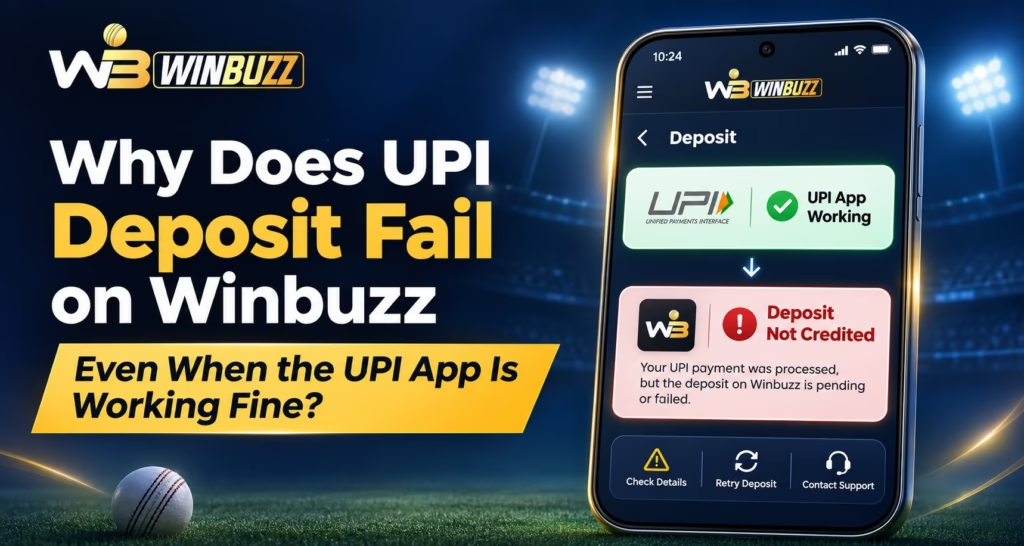
A UPI app can transfer money normally but fail during a particular platform deposit. That is because payment approval and account crediting involve separate checks. For Winbuzz users, the cause may be a receiving-bank issue, transaction limit, expired request, or delayed confirmation rather than a broken payment app.
Why a Working UPI App Cannot Guarantee a Deposit
A deposit can involve the payer’s bank, UPI network, recipient bank, payment service, and platform records. Problems at any stage may affect one transaction while other UPI payments succeed. Even a bank-confirmed transfer may not appear immediately in the receiving account.
Six Common Reasons UPI Deposits Fail
1. Receiving Bank Is Temporarily Unavailable
The recipient bank may have maintenance, payment restrictions, or delays. Your UPI app can still work with other recipients.
2. Expired Payment Request or QR Code
Old QR codes, payment links, or collect requests may no longer be valid. Check the recipient details and request status before doing anything further.
3. Limits or Bank Security Checks
Daily limits, transaction counts, risk checks, or merchant-category restrictions can prevent particular payments. A successful transfer elsewhere does not mean every recipient is permitted.
4. Delayed Payment Confirmation
The bank may show “Success” while the receiving service has not synchronized the status. This can be a reconciliation delay, not a failed transfer.
5. Verification or Platform Rules
Account verification, method availability, and deposit limits may affect processing. After a Winbuzz Login, review notices and payment instructions in the account dashboard.
6. Interrupted Mobile Session
Poor connectivity or switching between apps can interrupt the return to the payment page. On the Winbuzz App, inspect transaction history before attempting anything else.
Understand the Payment Status First
Determine whether money actually moved before taking further action.
| UPI Status | Bank Debit | Next Step |
| Failed | No | Check error and recipient details |
| Failed | Yes | Monitor reversal; contact the bank |
| Pending | Possible | Await final status; avoid duplicate payments |
| Successful | Yes | Compare the reference with platform records |
A debit alone does not establish that the platform received or credited the payment. Check your account statement alongside the payment status.
Step-by-Step Troubleshooting
- Find the original transaction. Note the amount, time, recipient UPI ID, and UTR/reference number.
- Check your bank account. Confirm the debit from the actual statement, not just a notification.
- Review platform records. After a Winbuzz Login, look for pending, failed, or credited entries.
- Verify current instructions. The Winbuzz Com website notes that payment methods and limits can vary. Avoid payment details sent in unsolicited messages.
- Do not pay twice. An unresolved transaction could complete later, creating duplicate transfers.
- Report the right issue. For a failed transfer with a debit, contact your UPI app or bank. For a successful payment missing from platform records, contact verified platform support with its reference.
If using the Winbuzz App, save a transaction screenshot but conceal sensitive information before sharing it.
What If the Bank Debited Money?
First, distinguish a failed transfer from a successful payment awaiting platform credit. NPCI says failed UPI debits are generally reversed, although delays can occur. If the reversal does not arrive, raise a complaint through your UPI app or bank.
For a successful transfer without credit, request a payment trace from verified platform support. When checking your Winbuzz ID, confirm the payment belongs to the correct account. Never share your UPI PIN, OTP, or password.
How to Prevent Future Payment Confusion
- Review current recipient information and supported methods inside your account.
- Check limits and verification notices before initiating a transaction.
- Keep receipts and reference numbers until payments are resolved.
- Avoid retrying while an earlier payment remains pending.
Conclusion
A Winbuzz deposit can fail despite a functioning UPI app because of recipient restrictions, expired requests, or delayed confirmations. Check the bank status, preserve your reference number, and resolve the original transaction first. Verify local legal eligibility before depositing.
Frequently Asked Questions
Why does UPI work elsewhere but fail here?
Different recipients use different banks and payment services, so restrictions or technical problems can affect only one transaction.
Does “successful” mean the platform credited my deposit?
No. The platform may still need to reconcile and identify the transfer.
Can the Winbuzz Com website show deposit requirements?
Review the methods, limits, and instructions displayed inside your verified account.
What if my payment failed but money was deducted?
Monitor reversal status and contact your UPI app or bank with the transaction reference if unresolved.
Can my Winbuzz ID affect a missing credit?
Yes, incorrect account matching or incomplete verification may need investigation by authorized support.