
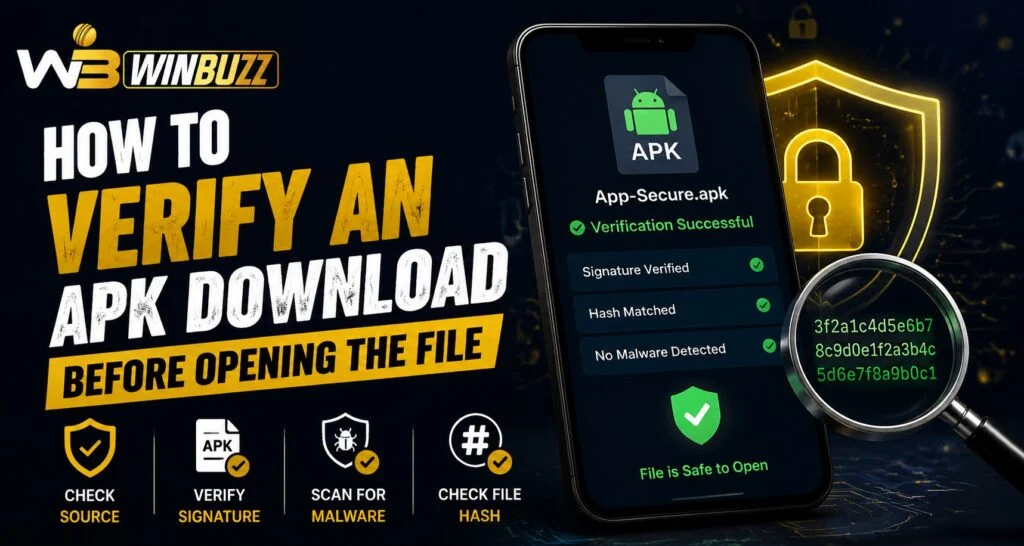
APK files allow Android users to install applications manually, but downloading files from unknown sources can create security risks. Before opening or installing any APK, users should verify its authenticity and ensure it comes from a reliable source. Platforms like Winbuzz provide digital access options, but users should always follow proper security practices when managing application files.
Many Android users download APK files when an application is unavailable through standard app stores or when they need a specific version. However, not every APK file is safe. Checking the file before opening it can help prevent unwanted software, data risks, and installation problems.
What Is an APK File?
APK stands for Android Package Kit. It is the file format used by Android devices to install applications manually.
An APK file contains:
- Application code.
- Resources and media files.
- Installation information.
- Digital signatures.
- Required permissions.
When users install an APK, they allow the file to make changes on their device. This is why verifying the file before opening it is important.
Why Should You Verify an APK Before Installation?
Not all APK files available online are trustworthy. Some files may be modified, outdated, or contain harmful components.
Verification helps users:
- Confirm the file source.
- Avoid fake applications.
- Reduce security risks.
- Protect personal information.
- Prevent installation errors.
A few simple checks can help users make safer decisions before installing an application.
Check the APK Source Carefully
The first step in verifying an APK is checking where it comes from. Official or trusted sources are generally safer than unknown websites.
Before downloading, users should check:
- Website reputation.
- Developer information.
- Download page details.
- User feedback.
- File description.
Avoid downloading APK files from suspicious links, pop-up advertisements, or unknown sources.
Verify the APK File Name and Details
A file name can provide useful information about the APK. While names alone do not guarantee safety, unusual details can be warning signs.
Users should look for:
- Correct application name.
- Expected version number.
- Developer details.
- Proper file size.
Files with strange names, unexpected versions, or unclear information should be treated carefully.
Check Digital Signatures
Android applications usually include digital signatures that verify their authenticity. A signature helps confirm that the file has not been changed after being published.
Checking signatures can help users identify:
- Modified applications.
- Fake copies.
- Unofficial versions.
- Potential security concerns.
Trusted applications should have consistent signing information across updates.
Scan the APK for Security Risks
Before opening an APK file, users can scan it using reliable security tools. Antivirus and malware scanning services can identify suspicious files before installation.
Security checks can detect:
- Harmful software.
- Suspicious behaviour.
- Unwanted permissions.
- Potential threats.
Regular scanning is a good habit, especially when downloading files outside official stores.
Review Requested Permissions
One of the most important steps is checking what permissions an APK requests. Applications should only request access that matches their purpose.
Users should be careful if an app requests unnecessary access to:
- Contacts.
- Messages.
- Microphone.
- Camera.
- Storage.
Unexpected permissions can indicate that an application may collect unnecessary information.
Keep Android Security Settings Enabled
Android devices include built-in security features that help protect users from unsafe applications.
Recommended practices include:
- Keeping Google Play Protect enabled.
- Updating Android regularly.
- Installing security updates.
- Avoiding unknown files.
These settings provide an additional layer of protection.
Safe APK Installation Practices
After verifying an APK, users should still follow careful installation steps.
Helpful practices include:
- Backup important data before installation.
- Install only trusted applications.
- Remove unnecessary APK files afterward.
- Avoid sharing personal login details.
- Monitor device behaviour after installation.
Users accessing services through Winbuzz Login should also ensure that they use secure applications and protect their account information.
Mobile Apps and Secure Access
Mobile applications have become a major part of digital experiences. Users prefer apps that provide convenience, speed, and easy navigation.
The Winbuzz App offers mobile-based access options, but users should always verify application files before installation. Safe downloading habits help protect devices and maintain better digital security.
Common APK Download Mistakes to Avoid
Many security issues happen because of simple mistakes.
Users should avoid:
- Downloading APKs from unknown websites.
- Installing modified versions.
- Ignoring permission warnings.
- Opening files without scanning.
- Disabling security settings permanently.
A careful approach reduces unnecessary risks.
Conclusion
Verifying an APK file before opening it is an important step for maintaining Android security. Checking the source, reviewing permissions, scanning files, and confirming authenticity can Help users avoid many common problems.
Whether accessing applications through Winbuzz Com or managing other mobile services, users should always prioritise safe downloading practices. A few minutes of verification can help protect personal information and device performance.
Frequently Asked Questions
What is an APK file?
An APK file is an Android application package used to install apps manually on Android devices.
Why should APK files be verified before installation?
Verification helps users avoid fake, modified, or potentially harmful applications.
How can users check if an APK is safe?
Users can check the source, scan the file, review permissions, and verify application details before installation.
Are all APK files unsafe?
No, many APK files are legitimate, but users should confirm the source before opening or installing them.
Can APK files contain malware?
Yes, APK files from unreliable sources may contain harmful software or unwanted components.
What is Winbuzz ID used for?
Winbuzz ID refers to a user account feature that helps users access and manage their platform-related activities securely.


