
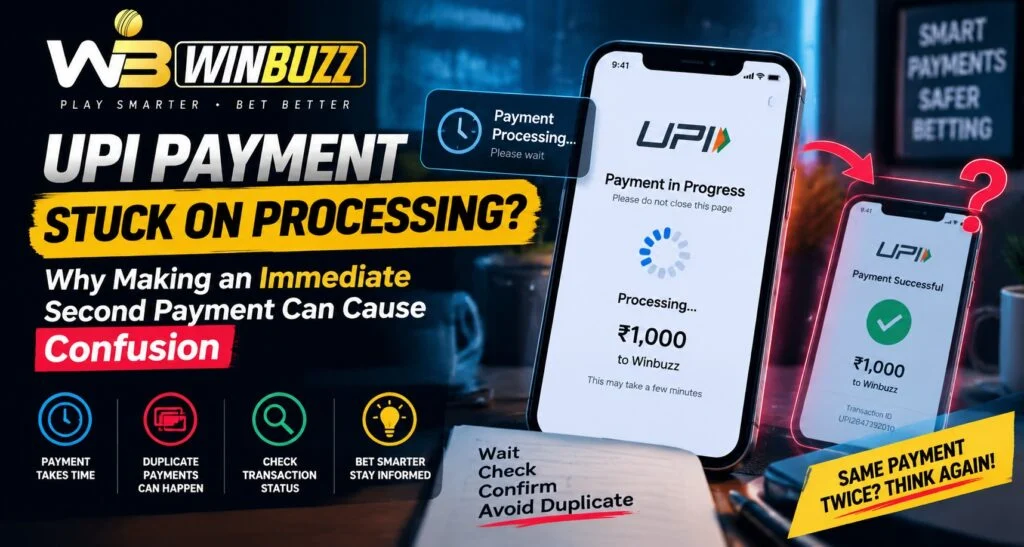
UPI payments are designed to provide fast and convenient digital transactions, but sometimes a payment may remain stuck on “processing” for a longer period than expected. During these situations, users may feel unsure and attempt another payment immediately, which can create additional confusion. On Winbuzz, users should understand why UPI transactions can remain pending, why duplicate attempts may complicate tracking, and what steps are safer to follow.
A processing status does not always mean that a payment has failed. In many cases, the transaction is still being confirmed between banks, payment systems, and the receiving platform.
What Does a UPI Payment Processing Status Mean?
A processing status means that the transaction has started but has not reached its final confirmation stage.
During this stage, different systems may still be communicating.
The payment process usually involves:
- User’s banking application
- UPI network
- Bank confirmation system
- Payment gateway
- Receiving platform
If any part of this process takes extra time, the transaction may remain marked as processing.
After completing a Winbuzz Login, users should check transaction records carefully before attempting another payment.
Why Do UPI Payments Get Stuck on Processing?
Several technical and operational reasons can cause delays.
Common causes include:
Bank Server Delays
Banks may experience temporary delays due to:
- High transaction volume
- System maintenance
- Network issues
- Processing backlogs
The payment may remain pending until the bank confirms the final status.
Payment Gateway Communication Issues
A payment gateway connects different systems to complete a transaction.
Sometimes delays occur because:
- Payment confirmation takes time
- Status updates are delayed
- Systems need additional verification
Internet Connectivity Problems
A weak connection during payment processing can sometimes create uncertainty about whether the transaction was completed.
Why Making a Second Payment Immediately Can Cause Confusion
When a payment appears stuck, users may try another transaction quickly. However, this can create difficulty when checking payment records.
Possible issues include:
- Multiple transaction references
- Confusion about which payment succeeded
- Duplicate payment attempts
- More complicated verification
A delayed payment may still complete later, even after another attempt has been made.
What Should Users Do When a Payment Shows Processing?
Instead of immediately making another payment, users should follow a few simple checks.
Recommended steps include:
- Wait for the transaction status to update
- Check bank transaction history
- Review UPI reference details
- Confirm whether funds were deducted
- Contact support if the status remains unresolved
Waiting briefly can help avoid unnecessary duplicate transactions.
How to Check UPI Transaction Status
Users can review payment information through their banking or UPI application.
Important details include:
- Transaction ID
- Payment amount
- Date and time
- Current status
- Bank confirmation message
These details help determine whether the payment is still processing or has failed.
What Happens If Two Payments Are Made?
If a user completes a second payment while the first is still processing, several outcomes are possible.
For example:
First Payment Completes Later
The original transaction may appear after the second payment has already been completed.
One Payment Fails
One transaction may fail while the other succeeds.
Both Payments Complete
In some cases, both transactions may be successful, requiring further review.
Keeping transaction records becomes important in these situations.
Why Keeping Transaction Details Is Important
Transaction information helps identify and resolve payment issues.
Users should save:
- UPI transaction ID
- Payment confirmation
- Amount transferred
- Time of transaction
- Bank reference details
Users accessing the Winbuzz App should keep payment records available before contacting support.
Information Users Should Not Share
While transaction details are useful, some information must remain private.
Never share:
- UPI PIN
- OTP codes
- Banking passwords
- Card security information
Payment verification should only require relevant transaction details.
Common Mistakes During Processing Delays
Users often make mistakes when they see a pending payment.
Common examples include:
- Repeating payments too quickly
- Ignoring transaction history
- Sharing sensitive information
- Using unofficial support contacts
- Assuming processing means failure
Understanding the payment process helps prevent unnecessary problems.
How To Prevent Future UPI Payment Confusion
Users can reduce payment-related issues by following good habits.
Helpful practices include:
- Checking internet stability before payment
- Confirming payment details carefully
- Keeping transaction references
- Avoiding repeated payments immediately
- Using updated payment applications
A careful approach makes transaction management easier.
Role of Notifications and Account Records
Payment notifications provide useful information, but users should also check official transaction records.
Important sources include:
- Bank statements
- UPI history
- Platform transaction records
- Payment confirmations
Users following Winbuzz Com updates should rely on verified records rather than assumptions.
Why Patience Matters During Digital Payments
Digital payments involve multiple connected systems, and temporary delays can occur.
Waiting for confirmation helps users:
- Avoid duplicate transactions
- Understand payment status
- Maintain accurate records
- Reduce confusion
A processing status should be treated as an ongoing transaction rather than an immediate failure.
Conclusion
A UPI payment stuck on processing does not always mean the transaction has failed. Banks, payment gateways, and platforms may require additional time to confirm the final status. Making an immediate second payment can create confusion by producing multiple transaction records or duplicate payment situations.
By checking transaction details, waiting for updates, and avoiding unnecessary repeated payments, users can handle processing delays more effectively. Careful payment habits and secure information sharing are important for managing digital transactions safely.
FAQs
What does a processing UPI payment mean?
A processing payment means the transaction has started but final confirmation is still pending.
Should I make another payment if my UPI transaction is processing?
It is better to wait and check the transaction status first to avoid duplicate payments.
Can a processing payment complete later?
Yes. Some payments may be confirmed after a delay depending on bank and system processing.
What details should I keep for a UPI payment issue?
Keep the transaction ID, payment amount, date, time, and confirmation details.
Should I share my UPI PIN during payment verification?
No. UPI PINs, OTPs, and passwords should never be shared.
What happens if I accidentally make two payments?
Keep records of both transactions and review their status through official payment records.


