
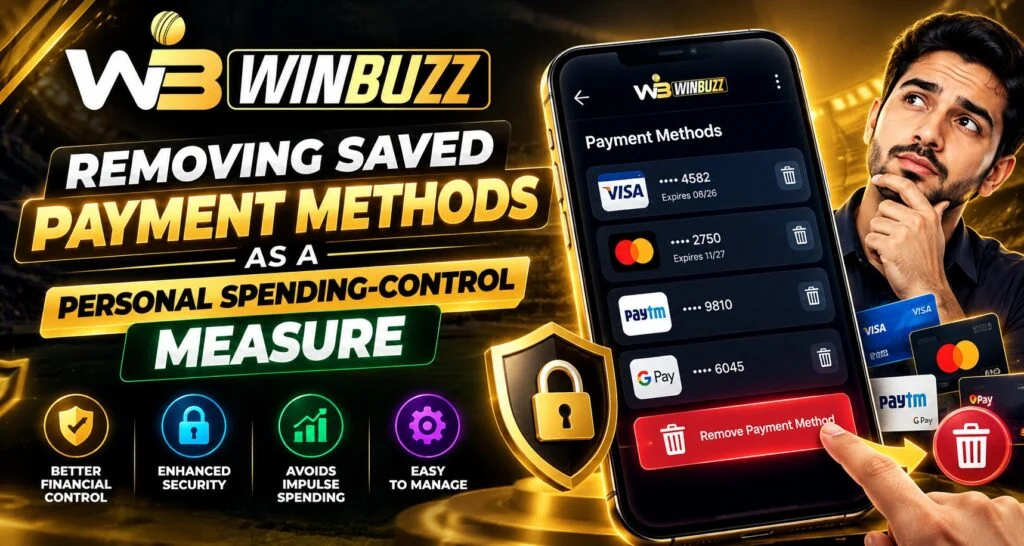
Saved payment methods make online transactions faster, but convenience can sometimes remove a useful moment of reflection before spending. On Winbuzz, users who want more control over their entertainment budget may consider removing stored cards or other payment details from their account, browser, or device. The goal is not to make payments difficult permanently, but to create an additional step between deciding to spend and completing a transaction.
A saved payment method can be useful when making regular purchases, but users should consider whether automatic convenience fits their personal spending habits. Removing stored details is one practical option for anyone who wants a more deliberate approach to online payments.
What Are Saved Payment Methods?
A saved payment method is payment information stored for future transactions.
Depending on the service and device, this may include:
- Debit or credit cards
- Selected bank payment options
- Digital wallet details
- Payment profiles
- Browser autofill information
When a payment method is saved, users may be able to select it without manually entering the details each time.
This can make legitimate transactions faster, but it also reduces the number of steps between a spending decision and payment confirmation.
Why Removing Saved Details Can Create a Pause
One benefit of removing stored payment information is that it introduces friction into the payment process.
Without a saved method, a user may need to:
- Open the payment section.
- Select a payment option.
- Enter the required information.
- Review the amount.
- Confirm the transaction.
That additional time can provide an opportunity to reconsider whether the transaction fits within a previously established budget.
The pause itself does not determine what decision someone will make. It simply creates more time to make the decision deliberately.
Convenience and Spending Decisions
Convenience is useful when a transaction is already planned. However, unplanned spending can happen when completing a payment requires very little effort.
For example, a person may see a promotion, open an account, and notice that a saved payment method is already available. The transaction may feel easier to complete because the payment information does not need to be entered again.
Removing saved details can change that process by requiring the user to actively provide payment information each time.
How Saved Payment Methods Can Exist in Multiple Places
Deleting a payment method from one location does not necessarily remove it everywhere.
Payment details may be stored in:
- The website or account
- A mobile application
- A browser
- A digital wallet
- A device’s autofill system
Users who want to reduce payment convenience should therefore check each relevant location.
For example, removing a card from an account may not automatically remove the same card from browser autofill.
Removing Payment Details From Your Account
If an account provides a payment-management section, users can review their available payment methods.
A typical process may involve:
- Opening account settings
- Finding payment methods
- Selecting a saved payment option
- Choosing remove or delete
- Confirming the change
The exact labels and steps can vary between services.
Users should also check whether removing a payment method affects pending transactions, refunds, subscriptions, or other account functions.
Checking Browser and Device Autofill
Browser autofill can provide another layer of payment convenience.
If payment details are stored in the browser, users may want to review their autofill settings separately.
Useful checks include:
- Saved card information
- Stored security-code settings
- Payment autofill
- Browser synchronization
- Wallet integrations
This can be particularly relevant when several devices use the same account or browser profile.
Removing Payment Methods Does Not Replace a Budget
Deleting a saved card can create an additional barrier, but it is not a complete spending-control system.
A stronger approach starts with a clear personal budget.
Before using an entertainment service, users can decide:
- How much they can comfortably spend
- How frequently they want to participate
- What amount should never be exceeded
- When they should stop for the day or week
A payment-control measure works best when it supports a limit that has already been decided.
Using the Login Process as a Pause
Another useful habit is to avoid treating account access as an automatic trigger for spending.
After a Winbuzz Login, users can first check their account information and decide whether they actually intended to make a transaction.
A simple pause can involve asking:
- Did I plan this expense?
- Does it fit my budget?
- Am I responding to a promotion?
- Am I trying to recover an earlier loss?
- Would I still make this decision after waiting?
These questions can help separate planned activity from an immediate reaction.
How the Mobile App Fits Into Spending Control
Mobile devices make account access convenient because they are usually available throughout the day.
The Winbuzz App may make it easy to access account features, but users can still create personal boundaries around when and how they use mobile services.
Helpful habits include:
- Turning off unnecessary promotional notifications
- Avoiding impulsive transactions
- Reviewing spending before confirming
- Taking breaks between sessions
- Keeping payment information under deliberate control
The objective is to make access intentional rather than automatic.
Removing Payment Methods After a Spending Concern
If someone notices that online spending is becoming difficult to control, removing saved payment methods can be one practical step.
Additional measures may include:
- Setting personal spending limits
- Taking a temporary break
- Disabling promotional notifications
- Tracking deposits and withdrawals
- Using available account-control features
- Discussing concerns with someone trusted
If spending is causing financial difficulty or significant stress, independent professional Support may also be appropriate.
Security Benefits of Reviewing Saved Payment Details
Payment-method management is not only about spending habits.
Reviewing stored payment information can also help users identify outdated or unnecessary payment methods.
For example, a user may discover:
- An old card
- A payment method they no longer use
- A duplicated payment option
- Details saved on an old device
Removing information that is no longer needed can make account management more organized.
What Removing a Payment Method Does Not Do
Users should have realistic expectations.
Removing a saved payment method:
- Does not erase previous transactions
- Does not automatically close an account
- Does not reverse completed payments
- Does not guarantee that spending will stop
- Does not necessarily remove payment information from every location
It is simply one additional control that can make future transactions less immediate.
A Simple Personal Spending Routine
Users who want to create more deliberate habits can follow a basic routine:
- Set a spending limit before starting.
- Keep payment methods unsaved if extra friction is helpful.
- Disable unnecessary promotional alerts.
- Review the amount before every transaction.
- Stop when the personal limit is reached.
- Review spending periodically.
This approach makes the payment decision part of the overall plan rather than an automatic response.
Final Thoughts
Removing saved payment methods can be a simple way to introduce an extra pause before completing an online transaction. Instead of allowing stored details to make every payment immediate, users can require themselves to actively enter or select payment information when they decide to spend.
The measure works best alongside a clear budget, regular spending reviews, personal limits, and breaks. For users reviewing Winbuzz Com information or managing their Winbuzz ID, payment convenience should be balanced with deliberate decision-making and responsible account management.
FAQs
Does removing a saved payment method stop all future payments?
Not necessarily. It mainly removes the stored payment option. Other payment methods may still be available.
Can removing saved payment details help with impulsive spending?
It can create an additional step before payment, giving users more time to reconsider an unplanned transaction.
Should I also check my browser for saved payment information?
Yes. Payment details may be stored separately in browser autofill or a connected digital wallet.
Does deleting a payment method reverse previous transactions?
No. Removing a payment method generally affects future payment convenience and does not automatically reverse completed transactions.
Is removing a saved card a complete spending-control solution?
No. It is one practical measure. Personal budgets, spending limits, breaks, and other controls can provide additional support.
Can I keep important payment methods while removing others?
In many payment systems, users can manage individual saved methods and remove only those they no longer want stored.
What should I do if online spending is becoming difficult to control?
Consider taking a break, setting firm financial limits, removing stored payment methods, and seeking support from someone you trust or an appropriate professional service.


