
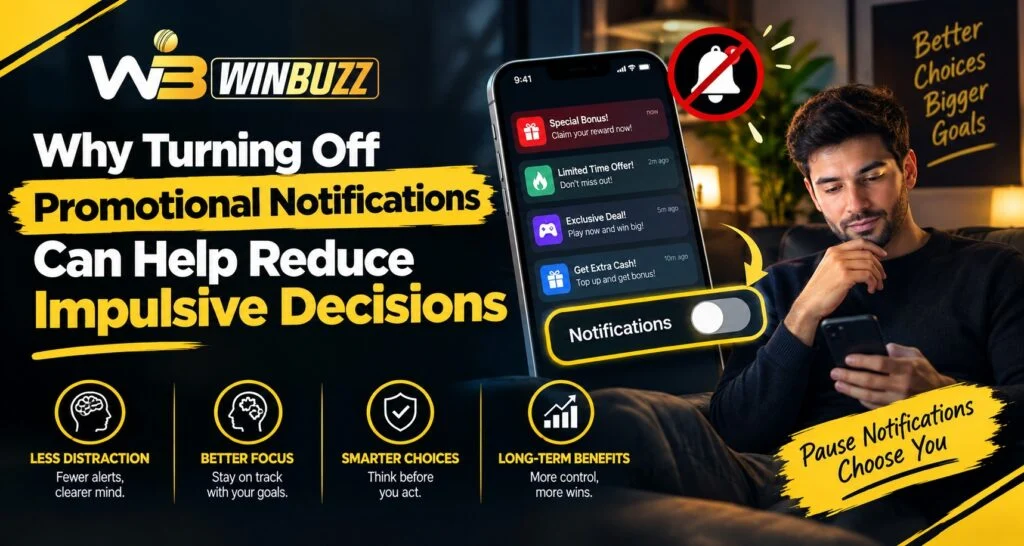
Smartphone notifications are designed to attract attention, but not every alert requires an immediate response. Promotional messages can create a sense of urgency, especially when they highlight limited-time offers, new events, or reminders to return to an app. On Winbuzz, users can benefit from understanding how reducing unnecessary notifications may create more space between receiving a message and making a decision.
Turning off promotional alerts does not mean giving up access to an account or important security messages. Instead, it can be a simple way to reduce interruptions and make digital activity more intentional.
What Are Promotional Notifications?
Promotional notifications are messages designed to inform users about marketing or engagement opportunities.
They may include:
- New offers
- Promotional campaigns
- Event reminders
- Feature announcements
- Limited-time messages
- General engagement alerts
These messages are different from essential security notifications, such as password-reset requests or important account alerts.
Why Notifications Can Influence Attention
A notification creates an interruption. Even when a person does not immediately act on it, the alert can encourage them to check their phone or think about the message.
Repeated interruptions may make it harder to maintain focus on an existing activity.
A notification can create a simple sequence:
- An alert appears.
- Curiosity encourages the user to check it.
- The promotional message creates an immediate opportunity.
- The user feels pressure to decide quickly.
- A decision may happen without much reflection.
Removing unnecessary alerts can break this sequence.
How Urgency Can Affect Decisions
Promotional messages may use language that emphasizes immediacy.
Examples include:
- “Available now”
- “Limited time”
- “New opportunity”
- “Act today”
Such wording can make an option feel more urgent than it actually is.
When users receive fewer promotional interruptions, they have more opportunity to pause and consider whether they actually want to engage.
The Value of Creating a Pause
A short pause can make a meaningful difference in decision-making.
Instead of responding immediately, users can ask:
- Did I already plan to do this?
- Do I actually need to respond now?
- Am I acting because I received a notification?
- Would I make the same decision without the message?
- Have I already reached my personal limit?
These questions encourage deliberate thinking rather than automatic reactions.
Promotional Alerts vs Important Account Notifications
Turning off promotions does not necessarily mean disabling every notification.
Users should distinguish between different categories.
Promotional Notifications
These may include:
- Offers
- Marketing messages
- New promotional announcements
- Engagement reminders
Important Notifications
These may include:
- Security alerts
- Password-reset information
- Account verification messages
- Transaction updates
- Important service notices
Users should consider keeping essential notifications active while reducing non-essential promotional messages.
How to Turn Off Unnecessary Notifications
The exact settings vary by device, but the general process is straightforward.
Users can:
- Open device notification settings.
- Find the relevant application.
- Review available notification categories.
- Disable promotional or marketing alerts where available.
- Keep essential security notifications enabled.
After completing a Winbuzz Login, users can also review available account communication preferences if the platform provides them.
Why Fewer Notifications Can Improve Digital Awareness
Reducing interruptions can help users become more intentional about when they open an application.
Instead of responding to an alert, users can choose a specific time to review their account.
This approach can help with:
- Better concentration
- Fewer interruptions
- More deliberate decisions
- Improved time awareness
- Reduced temptation to respond immediately
How Mobile Settings Can Help
Modern smartphones provide several tools for managing interruptions.
Users may be able to use:
- Do Not Disturb
- Focus modes
- Notification schedules
- App-specific notification controls
- Screen-time tools
These features can help create periods when promotional messages do not interrupt other activities.
The Winbuzz App can remain installed while promotional alerts are reduced through device or application settings, depending on the options available.
Common Mistakes When Managing Notifications
Users sometimes make notification management more complicated than necessary.
Common mistakes include:
- Disabling every notification
- Keeping promotional alerts active unnecessarily
- Checking every alert immediately
- Allowing notifications during sleep
- Treating promotional messages as urgent
A better approach is to separate useful alerts from messages that simply encourage engagement.
Creating a Personal Notification Routine
A notification routine can make digital activity more predictable.
For example, users can choose to:
- Check non-essential messages at planned times
- Keep security alerts enabled
- Silence promotional notifications
- Avoid checking alerts during meals or work
- Use quiet periods before sleeping
The goal is not to avoid technology completely but to make notifications work around the user’s schedule.
Why Delayed Decisions Can Be Better Decisions
Immediate decisions are not always necessary.
When a promotional message appears, waiting can provide an opportunity to consider the situation without the pressure of an alert.
A simple rule can be useful:
If the decision is not urgent, give yourself time before acting.
This is particularly useful when an unexpected message changes what you were planning to do.
The Role of Personal Limits
Notification management works best when combined with clear personal limits.
Users can decide:
- How much time they want to spend online
- How frequently they want to check notifications
- Which types of messages deserve immediate attention
- When they want uninterrupted time
For users reviewing Winbuzz Com information, understanding notification controls is one part of maintaining better digital awareness.
Signs That Notifications Are Becoming Too Distracting
Users may want to review their notification settings if they notice:
- Constant phone checking
- Difficulty concentrating
- Frequent interruptions
- Opening an app without a clear reason
- Feeling pressured by promotional messages
- Spending more time online than planned
These signs do not automatically indicate a serious problem, but they can suggest that notification settings need adjustment.
Responsible Digital Habits
Notification control is only one part of responsible online behavior.
Helpful habits include:
- Set personal time limits.
- Take regular breaks.
- Avoid acting while tired or frustrated.
- Review decisions before committing.
- Keep essential security alerts active.
- Turn off unnecessary promotional messages.
Small environmental changes can make it easier to follow personal boundaries.
Conclusion
Promotional notifications can encourage immediate attention, but users do not have to respond to every message as soon as it appears. Turning off unnecessary promotional alerts can create more distance between an advertisement or reminder and the decision that follows.
By separating important account notifications from promotional messages, using device controls, and creating personal limits, users can make digital activity more intentional. A quieter notification environment can provide more time to pause, think, and decide rather than reacting automatically.
FAQs
Can turning off promotional notifications improve decision-making?
It can reduce unnecessary interruptions and give users more time to consider whether they actually want to engage.
Should all notifications be disabled?
Not necessarily. Important security, account, and transaction notifications may still be useful.
Can promotional notifications create a sense of urgency?
Yes. Promotional messages may use timing or offer-related language that encourages immediate attention.
How can I stop promotional notifications?
Use your phone’s notification settings or available application communication preferences to disable non-essential promotional alerts.
Will turning off promotions stop important account messages?
Not necessarily. If notification categories are available, users can disable promotional alerts while keeping essential account or security notifications active.
Why is taking a pause before making a decision useful?
A pause provides time to consider the decision without responding automatically to an unexpected notification.


