
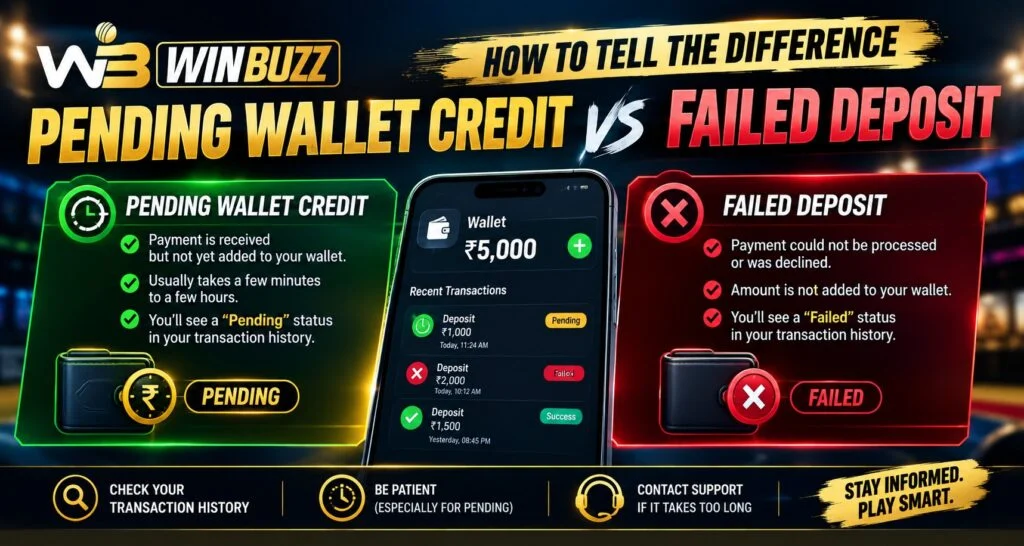
Digital deposits can sometimes create confusion when money leaves a bank or UPI account but the wallet does not immediately show the expected balance. A pending wallet credit and a failed deposit may look similar at first, but they represent different transaction states. For users checking Winbuzz, understanding these differences can help them avoid duplicate payments and identify the right next step.
What Does a Pending Wallet Credit Mean?
A pending wallet credit generally means the payment process has started, but the final confirmation has not yet been completed. The payment may still be moving between the bank, UPI network, payment gateway, and receiving platform.
A pending status does not automatically mean that the payment has failed. NPCI describes a pending UPI transaction as one where the amount becomes stuck during processing and final confirmation has not yet been received.
Common signs of a pending deposit include:
- The money may already have been deducted from the bank account.
- The wallet balance may not have updated yet.
- The payment application may show “Pending” or “Processing.”
- A transaction reference may already be available.
- The final outcome may still be awaiting confirmation.
In this situation, making another payment immediately can make it harder to determine which transaction eventually succeeds.
What Is a Failed Deposit?
A failed deposit means the payment did not successfully complete. The failure can occur because of a technical problem, bank-side issue, authentication problem, insufficient funds, or another payment-processing interruption.
NPCI distinguishes failed transactions from pending transactions and states that when a UPI transaction fails after the account has been debited, the money is generally refunded, although the refund can sometimes take additional time.
Typical indicators of a failed deposit include:
- The payment status clearly says “Failed.”
- No wallet credit has been created.
- The bank or UPI application may show a failed status.
- A refund or reversal may follow if the account was debited.
- The transaction may have a failure or reference message.
The important point is that a failed transaction should not automatically be treated as the same situation as a pending transaction.
Pending vs Failed Deposit: Key Differences
The easiest way to understand the difference is to compare the status shown by the payment system.
| Feature | Pending Wallet Credit | Failed Deposit |
| Payment status | Pending/Processing | Failed |
| Final confirmation | Not completed | Unsuccessful |
| Wallet credit | May still arrive | Normally not credited |
| Bank debit | May have occurred | May have occurred |
| Next step | Wait and monitor | Check refund/reversal status |
| Duplicate payment risk | Higher if retried too quickly | Still requires verification |
The payment status in your banking or UPI application should be checked alongside the wallet transaction history. NPCI also recommends using transaction history to review previous and pending UPI transactions.
How to Check a Pending Wallet Credit
If a deposit appears pending, avoid assuming that the money has disappeared. Instead, follow a structured process.
1. Check Your Bank or UPI Application
Open the payment application and review the transaction status. Look for:
- Transaction reference number
- Amount
- Date and time
- Recipient details
- Current payment status
2. Check the Wallet Transaction History
After completing a Winbuzz Login, review the account’s transaction or wallet section if available. Compare the amount and transaction time with the payment record.
3. Avoid an Immediate Duplicate Payment
If the original transaction is still pending, sending the same amount again may create two separate payment records. The first transaction could potentially complete later.
4. Keep the Payment Reference
Save the UPI reference, transaction ID, receipt, or relevant bank reference. These details can Help when tracing a delayed payment.
What to Do When a Deposit Shows Failed
A failed deposit requires a slightly different approach.
First, confirm that the payment really shows as failed in the bank or UPI application. Then check whether the amount was deducted.
If the money was not deducted, there may be no refund issue to investigate. If the account was debited despite the failed status, monitor the account for the applicable reversal or refund.
Users should also avoid sharing sensitive banking information. A payment reference may be useful for troubleshooting, but UPI PINs, OTPs, passwords, and card security information should remain private.
Why Wallet and Bank Statuses Can Differ
A payment involves multiple systems, so the bank and receiving wallet do not necessarily update at exactly the same moment.
For example:
- The user initiates the payment.
- The bank processes the request.
- The payment network communicates the status.
- The receiving system checks the transaction.
- The wallet records the final result.
A delay between these stages can create a temporary difference between the bank statement and wallet balance.
This is why users of the Winbuzz App should compare both records instead of relying only on a notification.
Important Details to Record
If a deposit needs further investigation, keep the following information available:
- Payment amount
- Transaction date and time
- UPI or bank reference
- Payment method
- Current payment status
- Wallet transaction reference
- Screenshot of the relevant transaction
When sharing screenshots, remove unrelated personal or financial information.
Common Mistakes to Avoid
Users can reduce payment confusion by avoiding these mistakes:
- Repeating a pending payment immediately
- Assuming a debit automatically means wallet credit
- Ignoring the transaction reference
- Deleting payment confirmation messages
- Sharing OTPs or UPI PINs with anyone
- Treating pending and failed statuses as identical
The same principles are useful when reviewing transaction information through a Winbuzz ID or other account-based payment system.
Frequently Asked Questions
1. What is the difference between pending and failed?
Pending means the transaction has not reached its final status, while failed means the payment was unsuccessful.
2. Can a pending payment eventually be completed?
Yes. A pending transaction may later receive final confirmation depending on the payment system and circumstances. NPCI notes that pending transactions can involve delays before the beneficiary receives the amount.
3. What if my bank account was debited but the deposit failed?
Check the bank or UPI transaction status and monitor for a refund or reversal. NPCI states that failed UPI transactions where the account was debited are refunded, although delays can occur.
4. Should I make another payment when the first one is pending?
It is generally safer to wait for the existing transaction to receive a final status rather than immediately creating another transaction.
5. What information is useful when reporting a payment issue?
Keep the transaction reference, amount, date, time, payment method, and relevant wallet transaction details available.
6. Should I share my UPI PIN to verify a payment?
No. Your UPI PIN and OTP should remain private. Payment troubleshooting should not require handing over these security credentials.


