
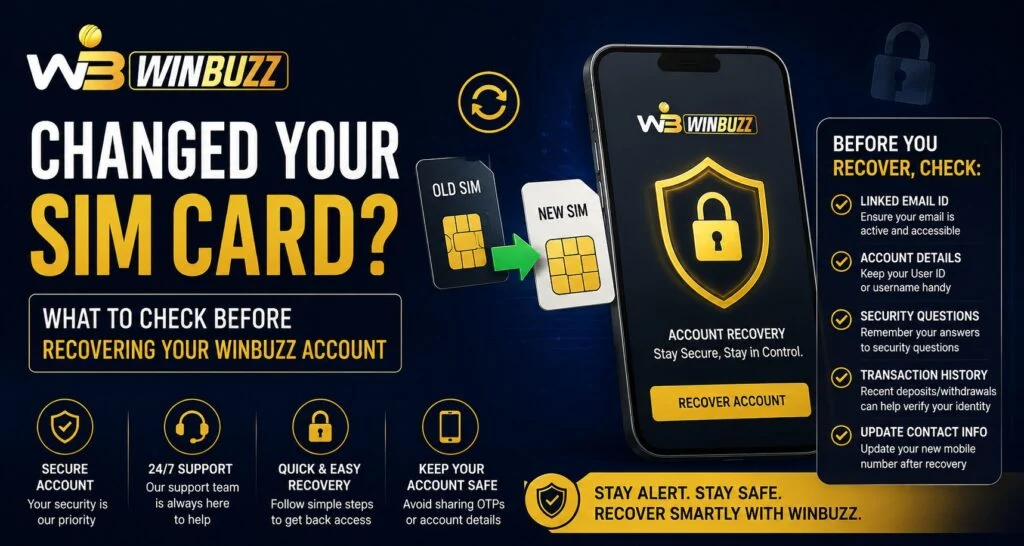
Changing a SIM card is a common situation when users upgrade their phone number, switch network providers, or replace a lost SIM. However, changing a mobile number can sometimes create confusion while accessing online accounts. Before trying to recover your account, it is important to check your registered details, security settings, and recovery options. For users managing their account through Winbuzz, following the correct steps can help avoid unnecessary access issues and keep account information secure.
Why a SIM Card Change Can Affect Account Access
Many online platforms use mobile numbers as part of their verification and security process. When a SIM card changes, users may face problems if the new number is not connected with their existing account information.
Some common situations include:
- Not receiving verification messages on the new SIM
- Forgetting which mobile number was registered
- Losing access to the previous number
- Facing login verification delays
A SIM change does not always mean there is an account problem. In many cases, users simply need to review their account details and follow the proper recovery process.
Check Your Registered Mobile Number First
Before starting any recovery process, confirm which mobile number is linked to your account. Many users change their SIM but forget that their old number may still be connected with important services.
You should check:
- Whether your previous number is still active
- If you have access to the registered mobile number
- Whether your account details are updated
- If any verification messages are reaching your device
Keeping account information updated Helps reduce future login difficulties.
Steps to Follow Before Recovering Your Account
If you have changed your SIM card and cannot access your account, take a few basic steps before requesting recovery.
1. Confirm Your New SIM Is Active
Make sure your new SIM card is properly activated and able to receive messages or calls. Sometimes verification issues happen because the SIM activation process is incomplete.
2. Check Your Device Settings
A simple device check can solve many connection-related problems. Ensure:
- Your phone has proper network coverage
- SMS services are working
- Your device software is updated
- No unnecessary restrictions are blocking messages
3. Keep Your Account Information Ready
Before attempting recovery, prepare the details you may need for verification. Accurate information can make the process smoother and help confirm account ownership.
How to Access Your Account After a SIM Change
When trying to regain access, users should always use official account access methods. Avoid clicking unknown recovery links or sharing personal details with unofficial sources.
For account access, users can use the official Winbuzz Login page and follow the available account recovery instructions. Using verified channels helps reduce the risk of security issues.
Common Mistakes to Avoid During Recovery
Many users make simple mistakes while trying to recover an account after changing their SIM card. Avoid these actions:
- Sharing OTPs with unknown people
- Using unofficial websites for recovery
- Entering details on suspicious pages
- Repeatedly attempting incorrect login details
- Ignoring account security notifications
Taking a careful approach helps protect your account information.
Why Keeping Recovery Details Updated Matters
Recovery information acts as a backup when users face access problems. Updating important account details after changing your SIM card can make future account management easier.
Good account habits include:
- Reviewing security settings regularly
- Keeping contact details updated
- Using strong passwords
- Checking account activity when required
These practices help create a safer digital experience.
Managing Account Access on Mobile Devices
Many users prefer mobile access because it provides convenience while managing online accounts. However, mobile security should also be considered when changing SIM cards or switching devices.
The Winbuzz App experience can be smoother when users maintain updated device settings, protect their phone with security features, and avoid installing unknown applications.
Conclusion
Changing a SIM card is a normal part of mobile usage, but it is important to review account details before starting recovery. Checking your registered number, using official access methods, and following secure practices can help prevent unnecessary login problems. A careful approach allows users to manage their accounts with better confidence.
If you need a reliable way to access your account features, visit the official platform and follow the recommended steps for account management.
FAQs
1. Can changing my SIM card lock me out of my account?
Changing a SIM card may affect verification if your old number was connected to your account. Checking your registered details can help resolve access issues.
2. What should I do if I cannot receive verification messages?
Check your SIM activation, network connection, and device settings. If the issue continues, follow the official recovery process.
3. Should I share my OTP during account recovery?
No. Verification codes are private and should never be shared with anyone.
4. How can I avoid login problems after changing my phone number?
Update your account information, keep recovery details current, and use secure login methods.
5. Where should I access my account after changing my SIM?
Always use the official Winbuzz Com website for account access and avoid unverified sources.


