
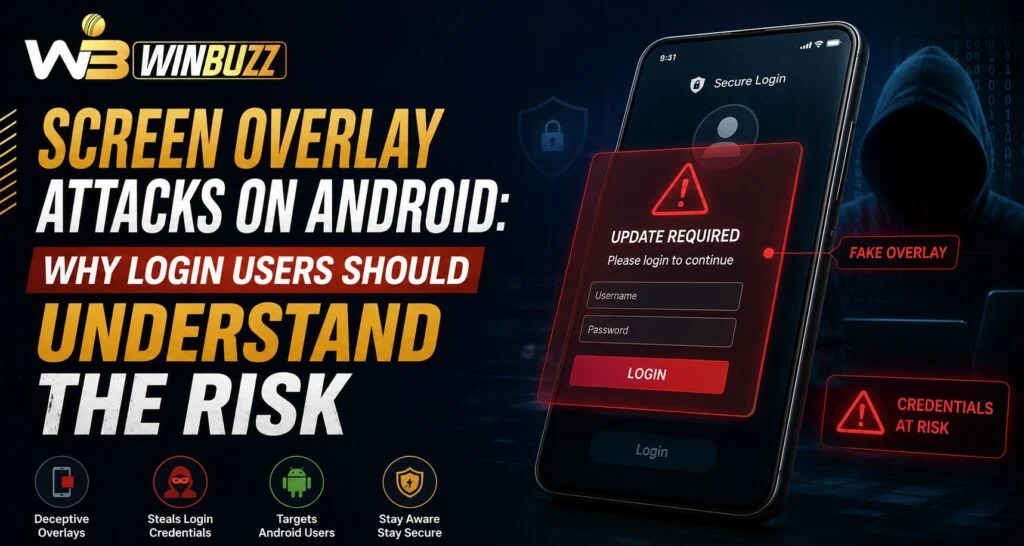
Android security involves many different layers, and understanding common threats can help users protect their accounts and personal information. One such threat is a screen overlay attack, where a malicious application places a hidden layer over another app’s screen to capture sensitive information. For users managing accounts through Winbuzz, understanding this type of security risk can help them recognize suspicious behavior and follow safer login practices.
What Is a Screen Overlay Attack?
A screen overlay attack happens when one application displays content on top of another application without the user realizing it.
Attackers may use this technique to create fake screens that appear similar to legitimate login pages.
The goal is often to:
- Capture usernames and passwords
- Trick users into approving unwanted actions
- Collect personal information
- Redirect users to fake interfaces
Because overlay attacks can operate silently in the background, users may not immediately notice that something unusual is happening.
How Do Screen Overlay Attacks Work?
Screen overlay attacks usually depend on permissions that allow apps to appear above other applications.
A typical attack process may involve:
- A user installs a suspicious application.
- The app requests additional permissions.
- The malicious app displays a fake screen over a trusted app.
- The user enters sensitive information without realizing the difference.
- The information may be captured by the attacker.
This technique is especially concerning because the fake interface can look very similar to a real application.
Why Should Login Users Be Aware of This Risk?
Login details are valuable information, and attackers often target accounts through fake screens rather than directly attacking platforms.
Users accessing Winbuzz Login should be aware that account safety depends on both platform security and personal device habits.
Potential risks include:
- Fake login pages
- Stolen passwords
- Unauthorized account access
- Exposure of personal details
Understanding these risks helps users identify suspicious activity before it becomes a serious problem.
Common Signs of a Possible Overlay Attack
Recognizing warning signs can help users respond quickly.
Possible indicators include:
- Unexpected pop-up windows
- Apps appearing over other applications
- Login screens that look unusual
- Sudden permission requests
- Slow or unusual device behavior
- Unknown applications installed recently
Users should pay attention whenever an app behaves differently from normal.
How Android Users Can Reduce Overlay Risks
There are several steps users can take to improve device security.
Review App Permissions
Check which apps have permission to appear over other applications.
Remove unnecessary permissions from apps that do not require them.
Install Apps From Trusted Sources
Avoid downloading applications from unknown websites or unverified sources.
Safer practices include:
- Checking app information before installation
- Reviewing developer details
- Reading user feedback
- Avoiding suspicious files
Keep Android Updated
System updates often include important security improvements.
Regular updates can Help protect devices against known vulnerabilities.
Why Device Security Matters for Account Protection
Even if an online platform uses strong security measures, a compromised device can create additional risks.
Users should also focus on:
- Using screen locks
- Keeping software updated
- Avoiding suspicious links
- Protecting login information
- Monitoring account activity
A secure device creates a stronger foundation for protecting online accounts.
How Fake Login Screens Trick Users
Overlay attacks often succeed because fake screens look convincing.
Attackers may copy:
- Logos
- Colors
- Login layouts
- Button designs
- Text patterns
This makes it difficult for users to identify the difference quickly.
Before entering any account details, users should check whether the screen appeared normally and whether the application is trusted.
Safe Login Practices for Android Users
Good login habits can reduce the chances of falling victim to fake interfaces.
Recommended practices include:
- Avoid entering passwords into unexpected screens
- Close suspicious pop-ups
- Check installed applications regularly
- Use strong passwords
- Enable additional security options where available
Users exploring information through the Winbuzz App should also maintain safe device habits for better account protection.
What To Do If You Suspect an Overlay Attack
If you believe your device may be affected:
- Close suspicious applications
- Remove unknown apps
- Review app permissions
- Change important passwords
- Run a security check
- Monitor account activity
Quick action can help reduce possible damage.
Importance of Awareness in Mobile Security
Mobile threats continue to evolve as users rely more on smartphones for online activities.
Understanding risks like screen overlay attacks helps users become more careful about:
- Application permissions
- Login behavior
- Device security
- Personal information protection
Users checking Winbuzz Com services or other online accounts should remember that security requires attention from both platforms and users.
Conclusion
Screen overlay attacks are a reminder that mobile security involves more than just passwords. Malicious applications can create risks by copying trusted screens and attempting to capture sensitive information.
By reviewing app permissions, installing trusted applications, keeping devices updated, and following safe login habits, users can reduce exposure to these threats. Maintaining awareness is one of the most effective ways to protect digital accounts.
Frequently Asked Questions
What is a screen overlay attack?
A screen overlay attack occurs when a malicious app places a fake layer over another application to capture information.
How do overlay attacks steal login details?
Attackers may display fake login screens that look like genuine applications and collect entered information.
How can I check overlay permissions on Android?
Users can review app permissions in Android settings and remove unnecessary access.
Are all overlay permissions dangerous?
No. Some legitimate apps use overlay features, but unknown or unnecessary permissions should be reviewed carefully.
Can Android updates help prevent overlay attacks?
Yes. Updates often include security improvements that protect against known threats.
What should I do if I entered information into a suspicious screen?
Secure your account by changing passwords, reviewing activity, and checking your device for suspicious applications.


